
A cron job is a command the server runs on a schedule – sending reminder emails, importing products, clearing caches. When "nothing happens", the command is almost always using the wrong PHP binary, a relative path, or its errors are being thrown away. Here is how to write cron jobs that work and how to see why one fails.
Screenshots come from a real cPanel account with the username and domain replaced by example values.
Where cron jobs live
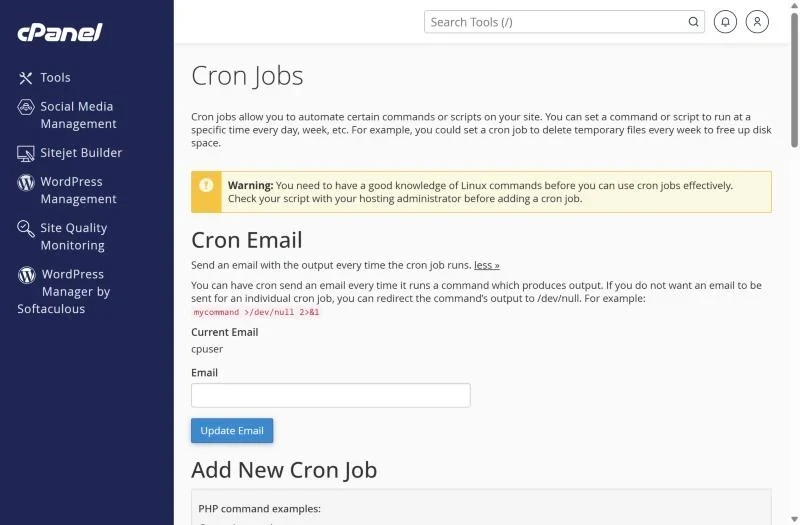
Open Advanced → Cron Jobs. At the top you can set the Cron Email address that receives the output of every job; below that you add jobs and see the list of current ones.
Commands that work
Use the full path to PHP and to your script. On our servers the general php command follows your selected PHP version; you can also call a specific version.
/usr/local/bin/php /home/cpuser/public_html/cron.php
/usr/local/bin/php -q /home/cpuser/public_html/artisan schedule:run
cd /home/cpuser/public_html && /usr/local/bin/php script.php
wget -q -O /dev/null "https://yourdomain.com/cron.php?key=YOURKEY"- Replace
cpuserwith your cPanel username (shown in the cPanel sidebar / General Information). - Scripts that include other files with relative paths need the
cd ... &&form, otherwise they can't find their includes. - Use the
wget/curlform when the task must run "as a visitor" (for example a URL a plugin gives you).
See why a job fails
Temporarily log the output to a file instead of discarding it:
/usr/local/bin/php /home/cpuser/public_html/cron.php >> /home/cpuser/cron.log 2>&1Wait for the next run and open cron.log in File Manager. Typical messages: "Could not open input file" (wrong path), "Permission denied" (file permissions – see the permissions guide), or PHP errors from the script itself. Once it works, switch back to >/dev/null 2>&1 so you don't receive an email every time.
Timing mistakes
- Server time may differ from Pakistan time (PKT, UTC+5). Check the current server time and adjust the hour.
- Jobs every minute (
* * * * *) use resources constantly and can trigger resource limits. Every 5 or 15 minutes is enough for most tasks. - Long jobs that overlap with the next run pile up – make the interval longer than the run time.
WordPress: use a real cron job
WordPress only runs scheduled tasks when someone visits the site, which is unreliable on quiet sites and wasteful on busy ones. Add define('DISABLE_WP_CRON', true); to wp-config and create a cron job every 15 minutes:
/usr/local/bin/php /home/cpuser/public_html/wp-cron.php >/dev/null 2>&1Frequently asked questions
How do I stop cron emails?
Add >/dev/null 2>&1 to the end of the command, or clear the Cron Email field.
Can I run a cron job every second?
No – the minimum is once a minute. For shared hosting we recommend 5 minutes or more.
Running heavy jobs? Imports and queues that need more power belong on a VPS with full root access. Smaller sites run fine on our cPanel hosting.