
FTP problems almost always come from three settings: the host name, the username format and passive mode. This guide gives the correct settings for cPanel hosting and fixes the error messages FileZilla and other clients show most often.
Screenshots come from a real cPanel account with domains and usernames replaced by example values.
Correct FTP settings
| Field | Value |
|---|---|
| Host | ftp.yourdomain.com, or the server IP while DNS is not pointed yet |
| Protocol | FTP with explicit TLS ("Require explicit FTP over TLS") |
| Port | 21 |
| Username | The full FTP username, e.g. upload@yourdomain.com, or your cPanel username for the main account |
| Transfer mode | Passive |
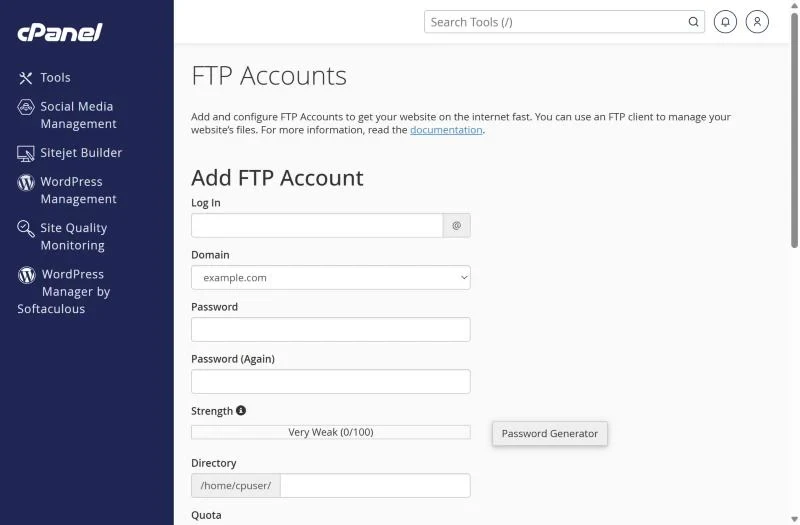
For an extra account, open Files → FTP Accounts, create a login, choose its directory and click Configure FTP Client for ready-made settings.
"530 Login authentication failed"
- Use the full username including
@yourdomain.comfor extra FTP accounts. - Reset the password in FTP Accounts → Change Password; avoid copy-pasting spaces.
- Too many failed tries block your IP – see IP blocked.
Connection timeout / "Failed to retrieve directory listing"
- Switch FileZilla to Passive mode (Edit → Settings → FTP → Passive).
- Some office networks and antivirus programs block FTP; try mobile data or a different network.
- If the host name doesn't resolve, DNS isn't pointing yet – use the server IP from your welcome email.
- Limit simultaneous connections in FileZilla to 2–3 (Site Manager → Transfer Settings).
Uploads fail halfway or files show 0 bytes
The account may be out of space – check disk quota and the FTP account's own quota. For large sites, upload a single .zip through File Manager and use Extract instead of thousands of small FTP transfers.
SFTP instead of FTP
SFTP (port 22 or the port given by support) is encrypted and more reliable, but it requires SSH access on your plan and uses your cPanel username. Ask support whether SSH is enabled for your account.
Frequently asked questions
What is the FTP port for cPanel?
Port 21 for FTP and FTPS (explicit TLS). SFTP uses the SSH port.
Where do I upload my website files?
Into public_html for the main domain, or the document root shown in Domains for addon domains and subdomains.
Moving a site? Skip FTP entirely – our team transfers files, databases and email for you with a free migration to XMart Host hosting.